Introduction
A CPU heat sink is basically a chunk of metal that keeps your processor from getting too hot. Picture it like a car radiator-it pulls heat off the CPU and spreads it out across a bunch of thin metal fins. Fans blow air over those fins and carry the heat away. The more fins and surface area, the better the heat sink does its job. You usually see heat sinks working together with fans, and honestly, they're a must-have for any computer. Modern CPUs run hot-way hotter than you'd expect-so without a heat sink, your processor would overheat in no time. You wouldn't even get close to today's speeds without them.
How CPU Heatsinks Work (CPU Cooling Basics)
When your CPU's running, those cores get hot-sometimes really hot. That heat needs to go somewhere, and that's where a heatsink steps in. It sits right on top of the CPU's metal lid, with a thin smear of thermal paste sandwiched in between. That paste isn't just for show; it fills in the tiny gaps so heat can move more easily from the chip into the cooler.
The heatsink usually has a base made of copper or aluminum. It grabs the heat from the CPU and spreads it out into heat pipes or a stack of metal fins. In an air cooler, heat travels up from the chip, through the base and pipes, and out into those fins. Then, a fan kicks in, pushing air through the whole fin stack and blowing that heat right out of your system. That's what keeps everything from overheating.
Most modern coolers rely on heat pipes-those small, sealed tubes with a bit of liquid inside. When the CPU heats up, that liquid turns to vapor and shoots up the pipe. Once it hits the cooler's fins, it cools down, turns back into liquid, and dumps its heat into the metal. Airflow then sweeps that heat out of your case. This cycle keeps pulling heat away from the CPU, so it doesn't get overwhelmed.
Materials and Design of a Good Heatsink
Most CPU heatsinks are built from aluminum or copper. Aluminum's light and cheap, but copper pulls heat away a lot faster-almost twice as well, actually. If you look at the numbers, copper sits around 400 W/mK for thermal conductivity, while aluminum's more like 205. That's why higher-end coolers often have a copper base or use copper in the heat pipes, then add aluminum fins to keep costs down. Sometimes you'll see the copper parts coated in nickel to stop them from corroding.
Surface area matters, too. More fins, or fins with clever shapes, mean more metal for the heat to travel through. So, bigger heatsinks usually cool better. Tall tower coolers with a bunch of stacked fins, sometimes even two layers, will often beat out those short, flat designs-if you can actually fit them inside your case. There's an old rule that "bigger is better" when it comes to heatsinks, and it holds up: more metal means more room for heat to escape. Just make sure the cooler doesn't run into your case's side panel, block your RAM slots, or end up too heavy for your motherboard. The sweet spot? Find the biggest heatsink you can fit that adds plenty of fins and metal, but double-check your system's space before you buy.
Heat Sink Buying Guide: Key Features to Look For
Material :Coolers with copper bases or heat-pipe cores just handle heat better than all-aluminum ones. A lot of cheaper coolers stick to aluminum, and that's usually enough for low-power CPUs. But if you want real performance when things heat up, go for a cooler with copper pipes or a copper base. The difference is pretty noticeable when your system's working hard.
Size & Fit:Bigger heatsinks-think taller towers or more fins-usually do a better job cooling your CPU, but that only matters if they actually fit. Before you buy, check the heatsink's height, width, and weight, and compare those numbers to your case and motherboard. If the cooler's too big, it won't squeeze into your case or might bump into your RAM or other parts. Most manufacturers list the cooler's exact dimensions, so always line those up with your case's CPU cooler clearance before you pull the trigger.
Socket Compatibility:First, make sure the cooler actually fits your CPU's socket-like LGA1700 or LGA1200 if you're on Intel, or AM4 and AM5 for AMD. Most cooler brands list which sockets they support, so check that before you buy. Some coolers come with extra brackets or mounting kits that let you use them with different sockets. But if you only see old sockets like LGA115x on the box, that cooler won't work with a new CPU unless you grab an adapter, or just pick a different model.
Cooling Type (Active vs. Passive): Most CPU coolers use a fan, but a few fancy ones go fanless. These passive heatsinks just use natural airflow, so you don't hear a thing. They work best for low-power CPUs or if you're chasing a silent PC. For regular desktops or gaming setups, you need a cooler with fans. Fans push air through the fins, which pulls heat away much faster. If you've got a modern multi-core CPU, or you want to overclock, stick with an active cooler. It just does the job better.
Fan Specs & Airflow: The fan on your cooler-or right on top of the heatsink-really matters. Bigger fans, like 120mm or 140mm, push more air while spinning slower, so they're quieter. Pay attention to how many fans the cooler uses. Some go with two, set up in a push-pull configuration to move even more air. Also, check the static pressure rating. High static pressure fans do a better job forcing air through those tightly packed heatsink fins. Most good CPU fans use PWM control, so your motherboard can ramp their speed up or down depending on how hot your CPU gets. That means you get a quiet fan when things are cool, and more airflow when your system heats up.
Noise Level:If you want a quiet PC, pay attention to the fan's noise level in decibels (dBA). The best CPU cooler fans usually stay between 20 and 30 dBA when they're working hard-that's just a gentle hum. Once you get to 35 or 40 dBA and above, that's about as loud as people talking, so you'll hear it. Some brands go out of their way to advertise ultra-quiet fans, sometimes claiming as low as 15 dBA at lower speeds. If silence matters to you, go for coolers or fans with low dBA numbers, or pick bigger fans that can run slower. That way, you keep things cool without all the noise.
Thermal Paste & Installation: A lot of coolers already have thermal paste spread on the base, or they toss in a little tube for you. Don't skip out on good thermal paste-it really matters. It fills those tiny gaps between your CPU and the heatsink, so your system stays cooler. If your cooler doesn't come with any paste, just squeeze out a small, pea-sized dot before you install it. And while you're at it, double-check the mounting parts. You want a solid backplate and bracket, especially if you've got a big, heavy tower cooler. That way, everything stays put and the weight's spread out.

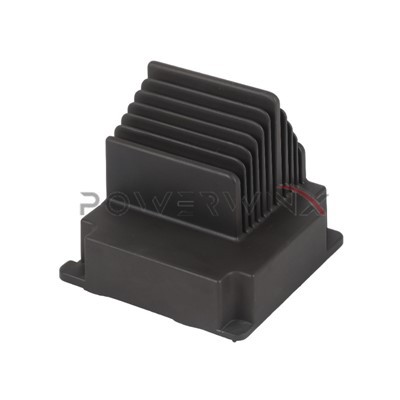
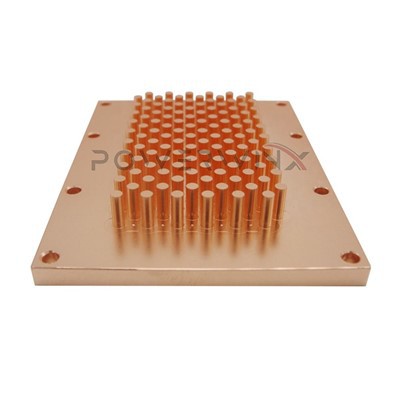
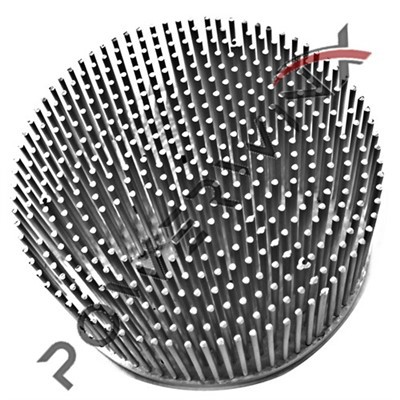
CPU Heat Sinks
Installation and Maintenance Tips
Once you've got the right heatsink, a little care goes a long way. Start with the thermal paste. Clean off any old stuff from the CPU and cooler using isopropyl alcohol. Then, dab a small dot-think the size of a pea-right in the center of the CPU. When you lower the cooler onto it, that paste spreads out just right. Tighten the screws or clips in a crisscross pattern to keep the pressure even, but don't go overboard. Cranking them down too hard can actually bend the CPU socket or put stress on the motherboard, and that's the last thing you want.
Once everything's in place, power up and check your CPU temps while the system's idle. If numbers look high, make sure the heatsink is really locked down and the fan's spinning like it should. Case airflow matters, too. You want cool air coming in and hot air getting pushed out, so check your intake and exhaust fans. Keep your cables tidy-messy wires just block airflow and make the job harder for your cooler.
Every now and then, open up your case and clear out the dust. Dust loves to gather on those heatsink fins and fan blades, and it acts like a blanket, trapping heat. Hit it with some compressed air or use a soft brush, but always with the power off. If a fan gets noisy or looks rough, just replace it. And remember, thermal paste isn't forever. If you ever pull the heatsink off-for an upgrade or whatever-scrape off the old paste and put on a fresh dot before you put it back together. Keeping things clean and well-seated helps your CPU stay cool and last longer.
Real-World Tip: When you swap out the stock CPU cooler for a bigger, better heatsink, you usually see real results. Take a standard 65W quad-core processor-you might see it idle around 40°C with the default cooler. Drop in a good tower heatsink, and suddenly it's hanging out below 30°C. Plus, the fan noise drops way down, even when you're pushing the system. But if you're running something beefier, like a 125W CPU or you're overclocking, a basic heatsink just can't keep up. In that case, you really need a top-tier air cooler, or maybe even an AIO liquid cooler, if you want to keep those temperatures under control.
PowerWinx is a manufacturer of high-quality thermal solutions. Founded in 2000, PowerWinx specializes in precision-made heat sinks and custom thermal designs tailored to customer needs. With advanced facilities and meticulous engineering, We deliver reliable heat sinks that improve performance and longevity. For anyone needing dependable, high-performance CPU cooling solutions, PowerWinx's expertise and quality make them a strong choice.